
How AI is Used in IoTRoutes
The IoTRoutes AI Layer is deeply integrated into the platform and can be used across multiple operational and business scenarios.
AI capabilities are not limited to a standalone chatbot.
They can be embedded into:
- user interactions,
- dashboards,
- workflows,
- data interpretation,
- message transformation,
- and operational automation.
The platform currently integrates AI in three major areas:
- AI Chat Assistant
- AI-Powered KPIs
- AI Workflow Activities
AI Chat Assistant
The AI Chat Assistant provides an interactive conversational interface directly inside the IoTRoutes web client.
Users can:
- ask questions,
- analyze operational data,
- understand platform features,
- receive contextual assistance,
- and execute AI-powered analysis.
Accessing the AI Chat
The AI Chat button is available in the top-right section of the web client interface.
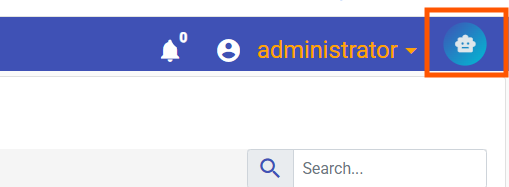
When clicked:
- a chat panel opens on the right side of the application,
- allowing users to interact directly with the AI assistant.
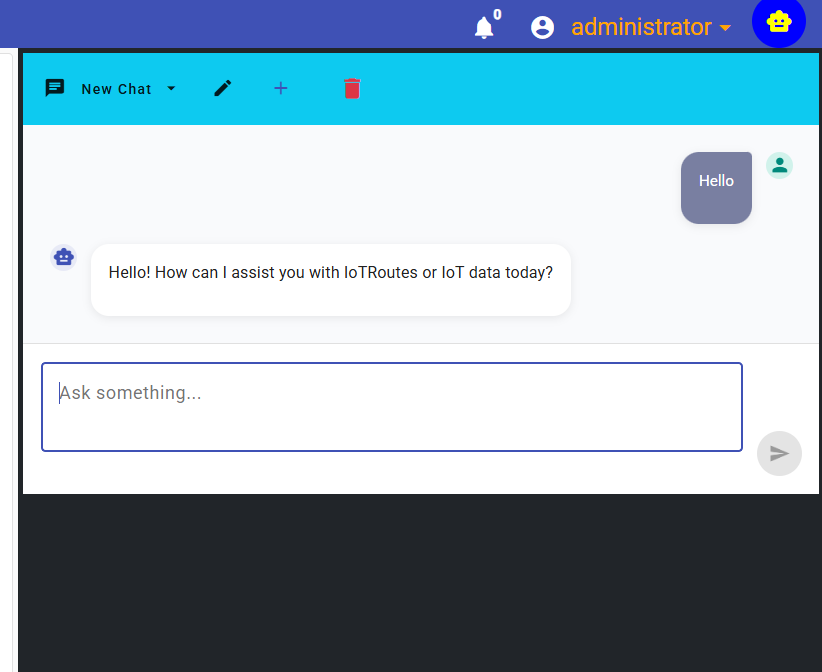
The assistant behavior depends on:
- configured capabilities,
- associated instructions,
- linked knowledges,
- and authorized tools.
This means the assistant can provide specialized responses depending on the configured AI architecture.
Guest User Assistance
For non-authenticated users:
- a smaller red AI icon is displayed,
- allowing limited interaction with the AI assistant.
The assistant can help guest users with:
- login guidance,
- platform introduction,
- navigation assistance,
- and basic onboarding questions.
To prevent abuse and uncontrolled AI consumption:
- the number of guest requests is limited.
Context-Aware AI Assistance
One of the most powerful features of the IoTRoutes AI assistant is its contextual awareness.
When users navigate through the application:
- pages can dynamically provide contextual information to the AI assistant,
- including suggested explanations,
- recommended actions,
- or predefined analysis prompts.
Examples:
- Analyze this KPI
- Explain this chart
- Summarize device activity
- Detect anomalies
- Explain workflow execution
AI Context Actions
When contextual AI actions are available:
- a badge indicator appears on the AI chat button,
- showing the number of available AI actions for the current page.
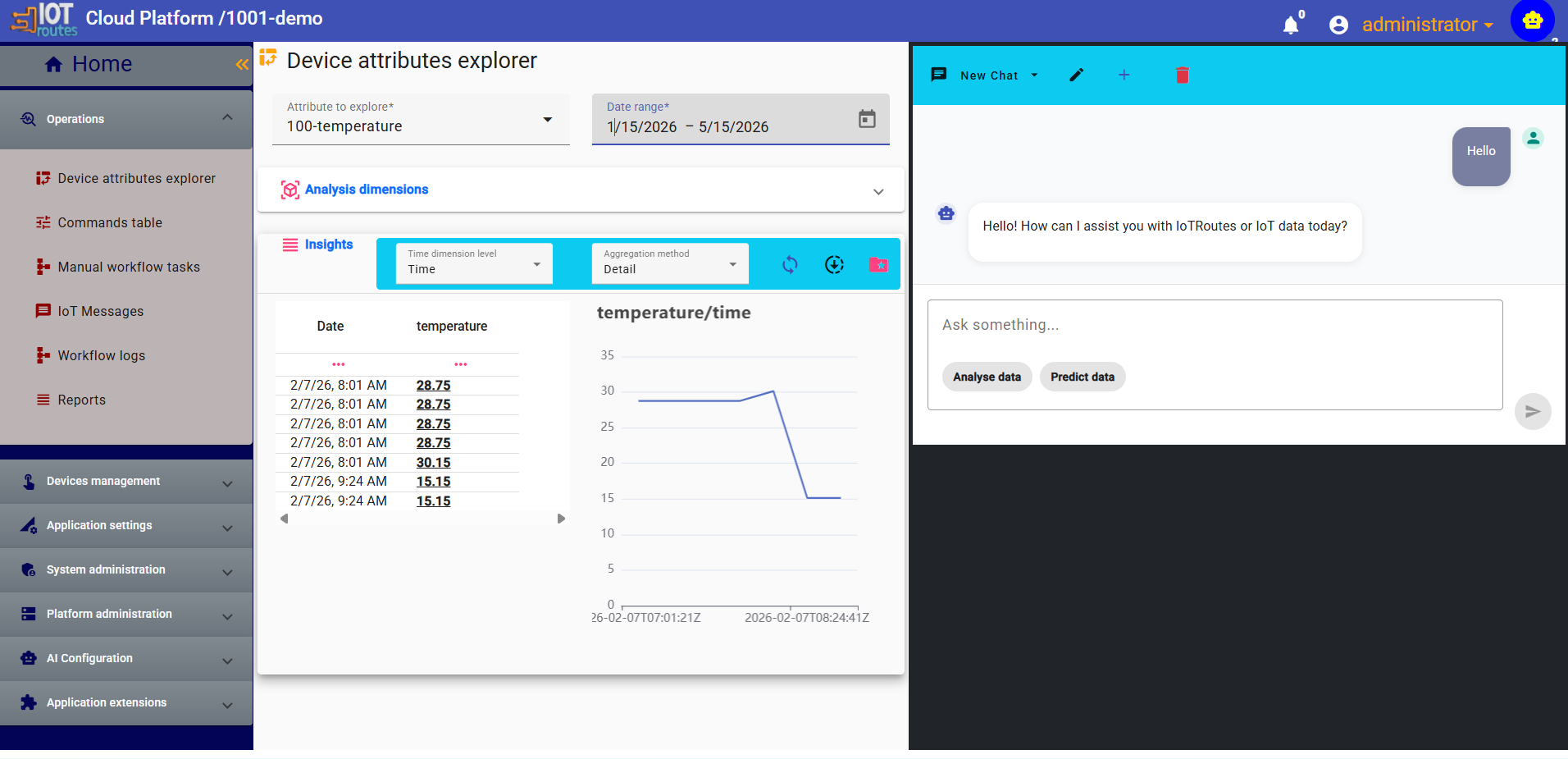
Each action represents:
- a predefined AI context,
- associated data,
- and an optimized prompt template.
When the chat window is opened:
- these actions appear as quick-access buttons below the prompt input area.
Users can simply click an action to instantly execute contextual AI analysis.
This mechanism significantly improves:
- usability,
- contextual relevance,
- response quality,
- and user productivity.
AI-Powered KPIs
IoTRoutes extends the KPI system with a dedicated AI KPI type.
This allows dashboards to display AI-generated summaries, interpretations, and analytical outputs.
Creating an AI KPI
AI KPIs are configured from:
Extension Modules → KPI Definitions
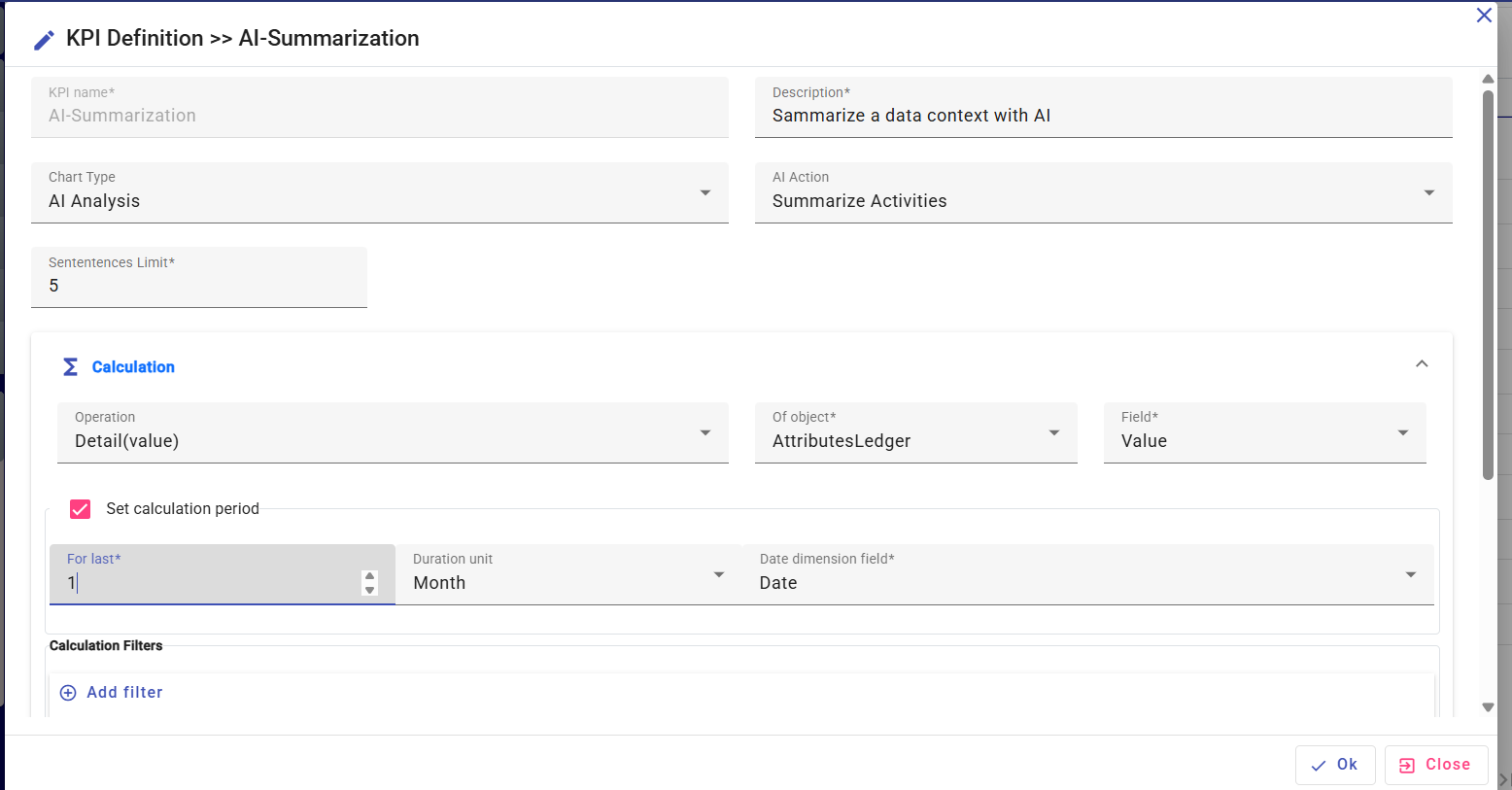
When creating a KPI:
- select the KPI type:
AI - choose the AI capability to execute
- define the execution context
The context may include:
- attribute identifiers,
- device information,
- date ranges,
- activity scope,
- filters,
- or business-specific parameters.
AI KPI Execution
When the KPI is displayed on a dashboard:
- IoTRoutes executes the configured AI capability,
- sends the contextual data to the assigned AI provider,
- and displays the generated output.
The result may include:
- summaries,
- interpretations,
- recommendations,
- anomaly explanations,
- predictive insights,
- or operational analysis.
AI KPIs can be displayed using:
- cards,
- gauges,
- charts,
- or textual analytical panels.
KPI Cache Behavior
To optimize performance and control AI execution costs:
- AI KPI calculations are cached.
A minimum cache duration of approximately 2 minutes is applied before recalculation requests are executed.
As a result:
- modifications to KPI definitions or underlying data may not appear immediately after refresh.
This caching mechanism helps:
- reduce unnecessary AI requests,
- improve dashboard performance,
- and stabilize execution workloads.
AI Workflow Activities
IoTRoutes integrates AI directly into workflow execution through a dedicated workflow activity called:
AIActivity
This activity allows workflows to:
- interact with AI models,
- analyze data,
- transform content,
- and use AI-generated responses during execution.
AIActivity Configuration
The AIActivity allows administrators to:
- select an AI capability,
- define additional contextual information,
- provide workflow variables,
- and process AI responses dynamically.
The workflow engine can then:
- store the generated response,
- reuse it in subsequent activities,
- or trigger automated decisions.
Example: IoT Message Conversion
One common use case is:
ConvertMessageToPMS
In this scenario:
- an incoming IoT payload is received,
- the AI analyzes the message format,
- detects its structure,
- interprets the content,
- and converts it into the standardized Platform Message Structure (PMS).
The AI execution relies on:
- capability instructions,
- associated knowledges,
- format conversion rules,
- and available tools.
This allows the platform to process heterogeneous IoT payloads with reduced manual mapping effort.
AI-Driven Workflow Automation
Using AI inside workflows enables advanced automation scenarios such as:
- intelligent message interpretation,
- anomaly analysis,
- automated summarization,
- predictive decisions,
- contextual recommendations,
- and adaptive workflow execution.
The AI response becomes part of the workflow runtime context and can influence:
- conditions,
- routing,
- notifications,
- or subsequent activities.
Unified AI Architecture
All AI integrations inside IoTRoutes share the same architecture:
- Service Providers control execution
- Capabilities define behavior
- Knowledges provide context
- Instructions guide the AI
- Workflows and UI components consume the results
This unified design ensures:
- consistency,
- scalability,
- maintainability,
- and enterprise-grade governance across all AI-powered features.